
How to Create Additional FTP Accounts?
Let's have a look at how to create additional FTP accounts.
FTP allows you to access your files through a 3rd party program such as FilzeZilla
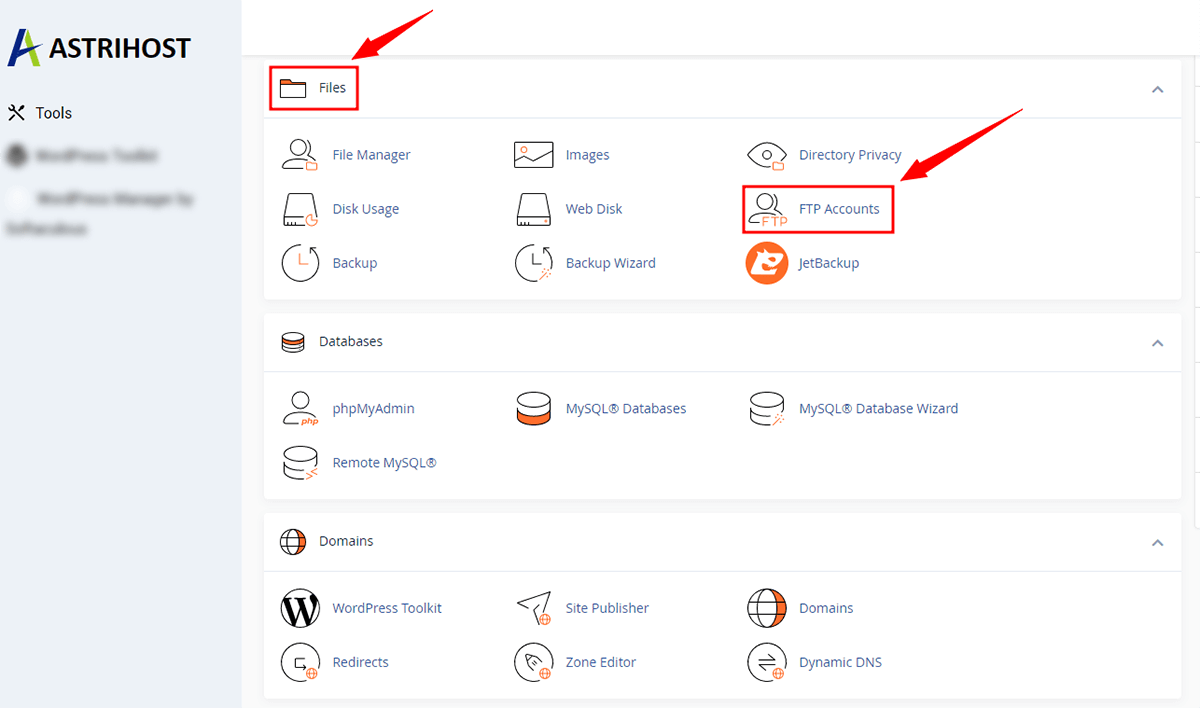
Once logged into your cPanel,
- Scroll to the Files section, and click on FTP Accounts
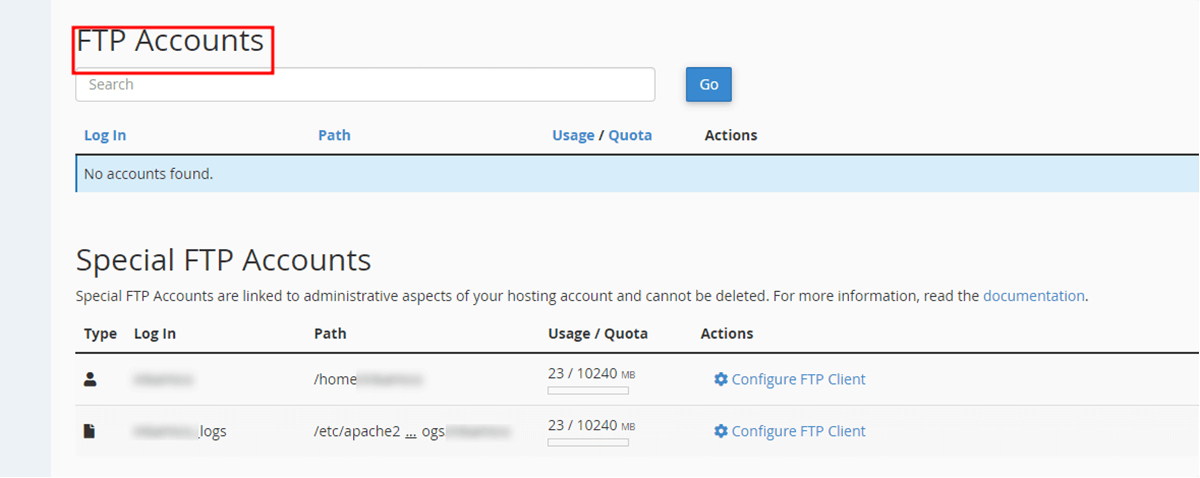
- If you scroll down on the page you will see a list of the FTP accounts you already have. Most were created when your hosting account was set up.
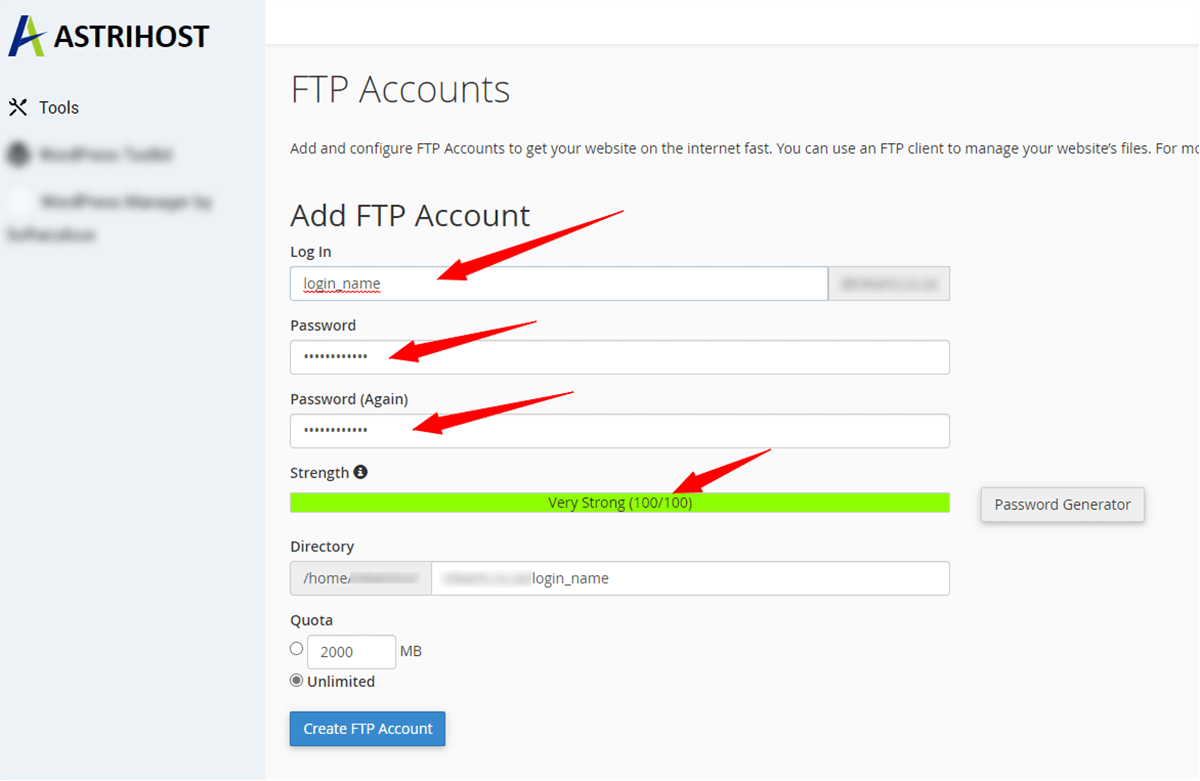
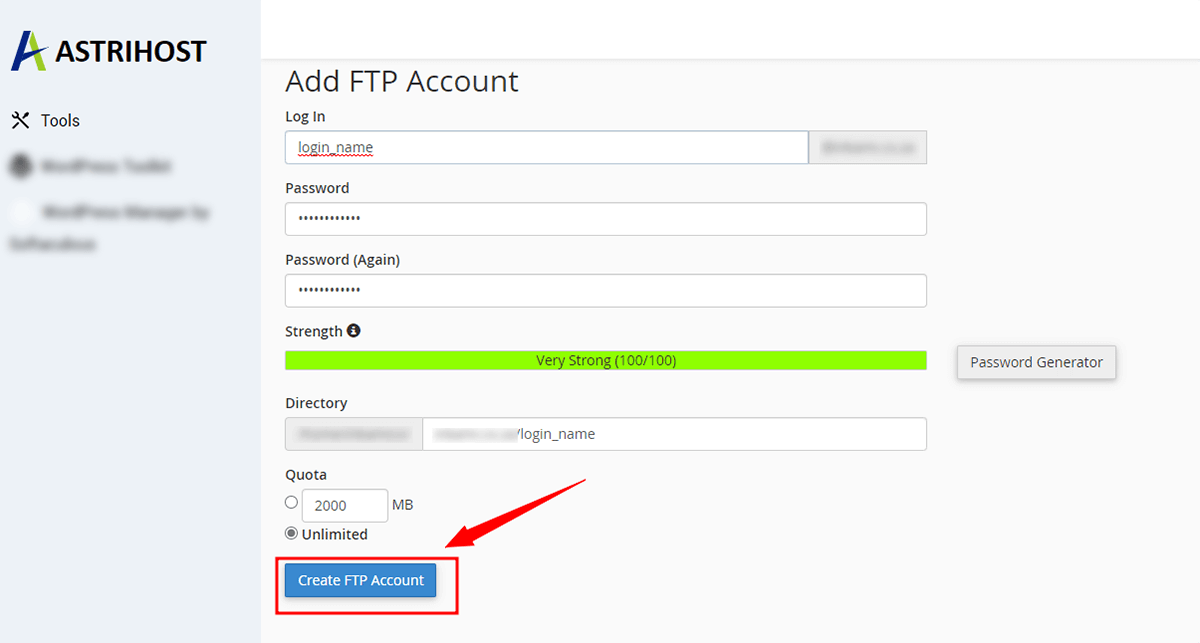
- Scroll back up to the Add FTP Account
- In the first box enter a Login name.
- Then enter a password
Ensure you use a strong password.
- In the next box, marked Directory, click on the icon and it will give you the Directory you are creating the FTP account for
- The user of this account will only have access to the "/example" directory, and all folders under it.
- Select the Unlimited option in the Quota
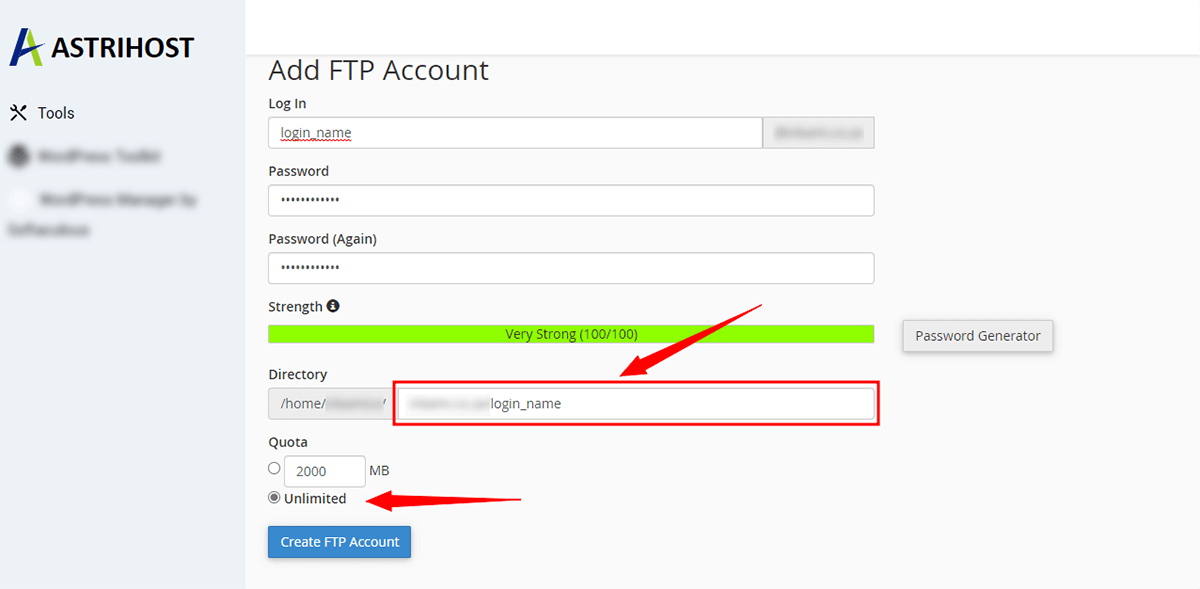
- Lastly, click the Create FTP Account
This will take you to the confirmation screen, with all the account information listed.
Click the Go Back button.